At a glance
What it is
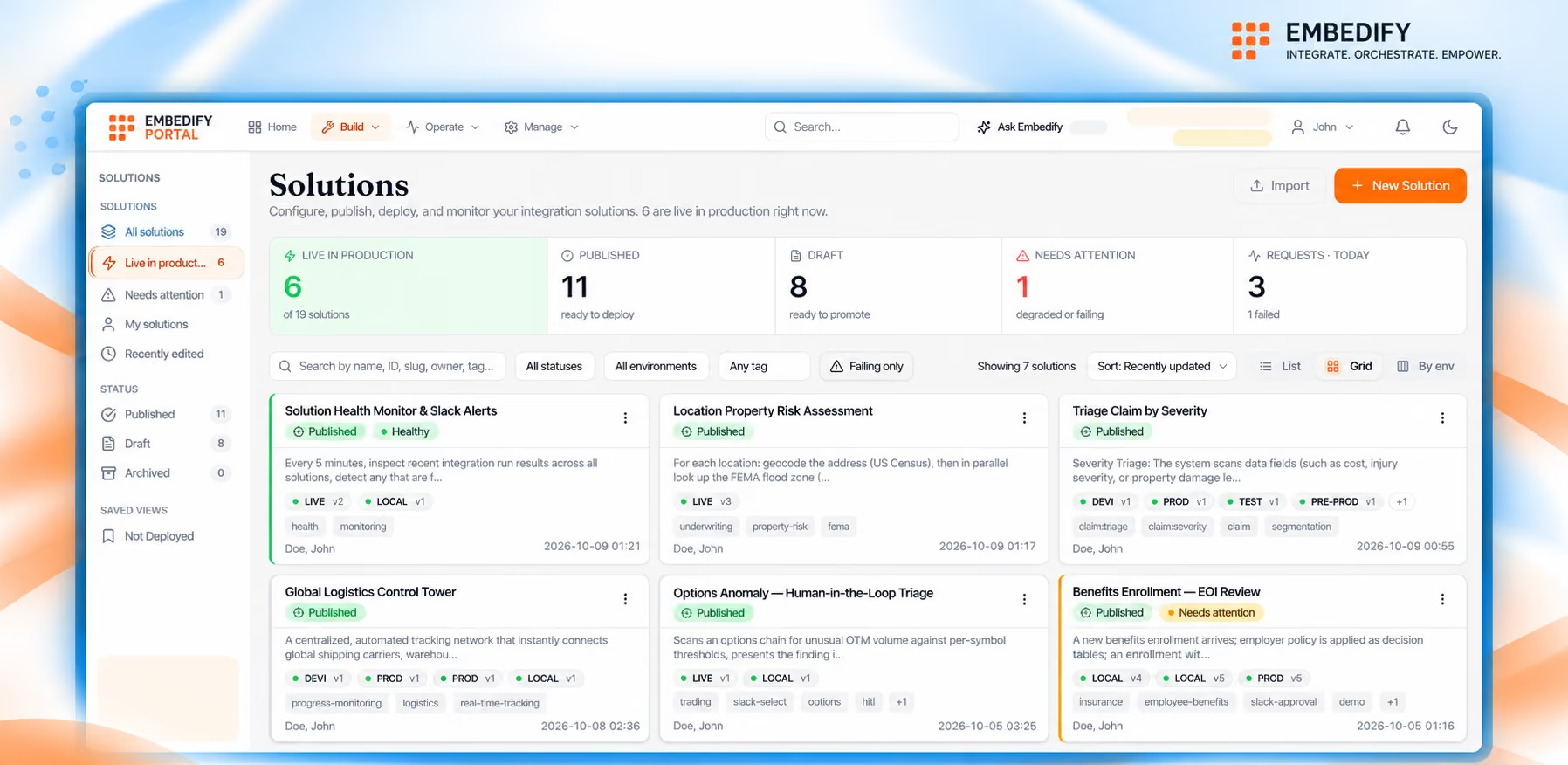
A web app for building, testing and running integrations and workflows
Who uses it
Business teams, operations and IT, each with their own role
Where
portal.embedify.net, in any modern browser, including on your phone
How it runs
On Embedify Platform, with results shown in your apps through Embedify Lens
Also works from
Claude and other AI tools that support MCP
Cost
Included. No seats or tiers. You pay $0.005 per request
Inside the Portal
Every step happens in one place, and the Portal tells you exactly what’s needed before you move on.
1
Connect
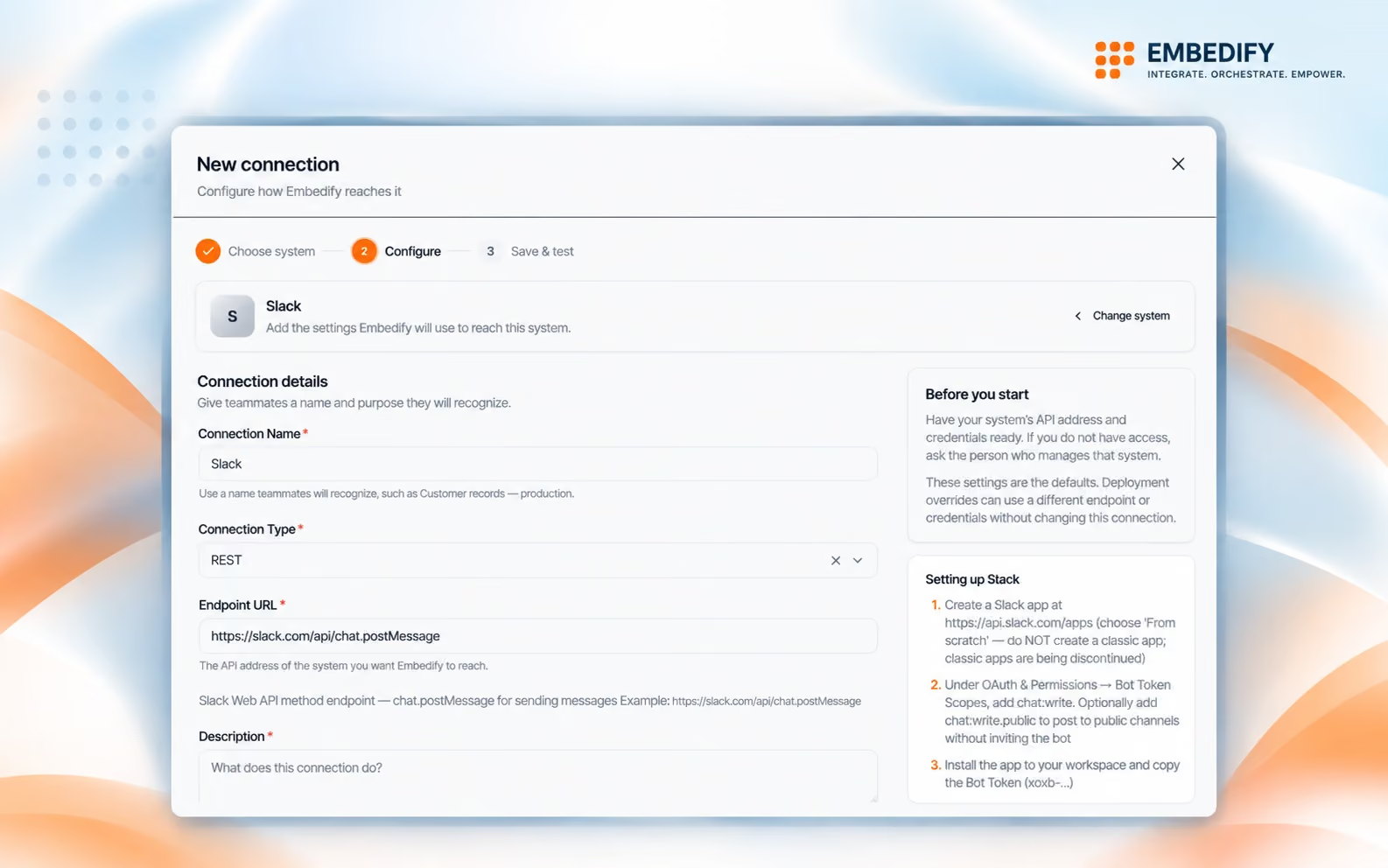
Pick a connection from the catalog, start from a ready-made template, or import any OpenAPI spec. Add your credentials once and reuse the connection across your solutions.
2
Build
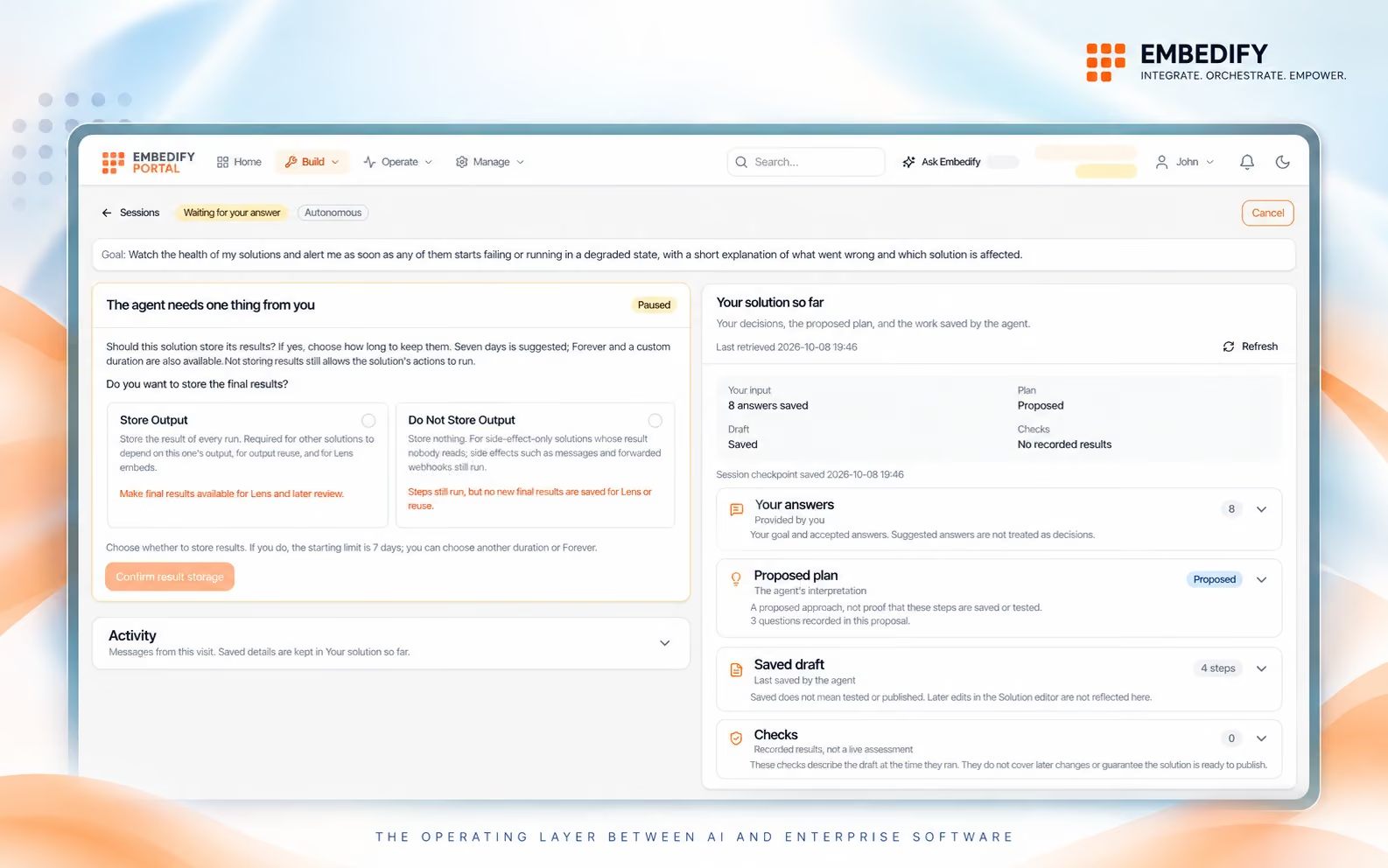
Explain in plain English what should happen. The integration agent plans against your real connections and schemas, asks when something is unclear, and drafts the solution. Change any step yourself in the visual builder.
3
Design
Start from a sample of your results, describe the layout and let the agent draft it, or pick a ready-made layout. Then choose the fields and styling for the screens, widgets and dashboards that Lens shows inside your existing systems.

4
Publish and deploy
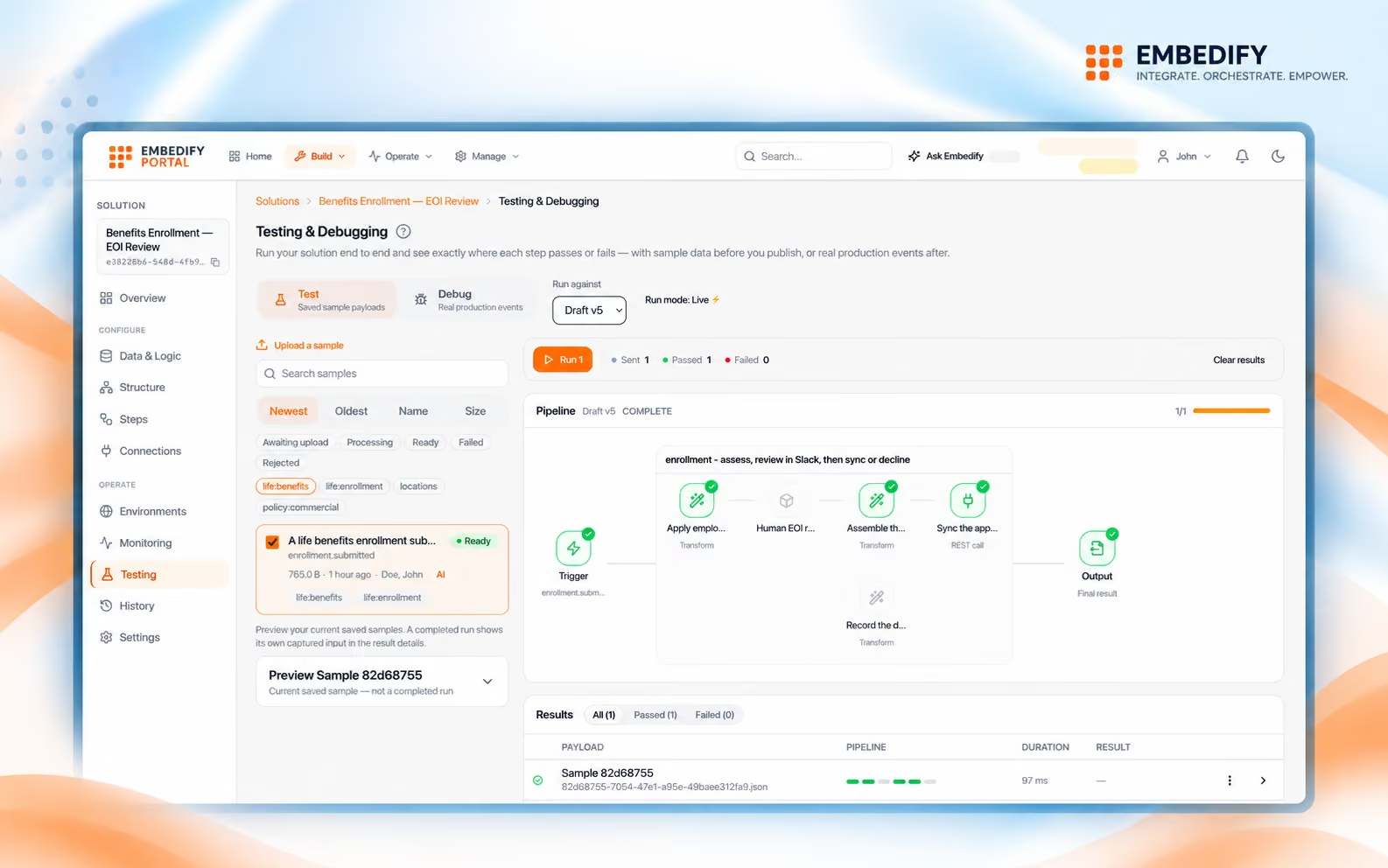
Validation checks every solution and tells you exactly what’s missing before it can be published. Test it step by step against real sample events. Then deploy it once to run the same everywhere, or separately for each app and stage when data and connections differ. Add as many environments as you need.
5
Operate
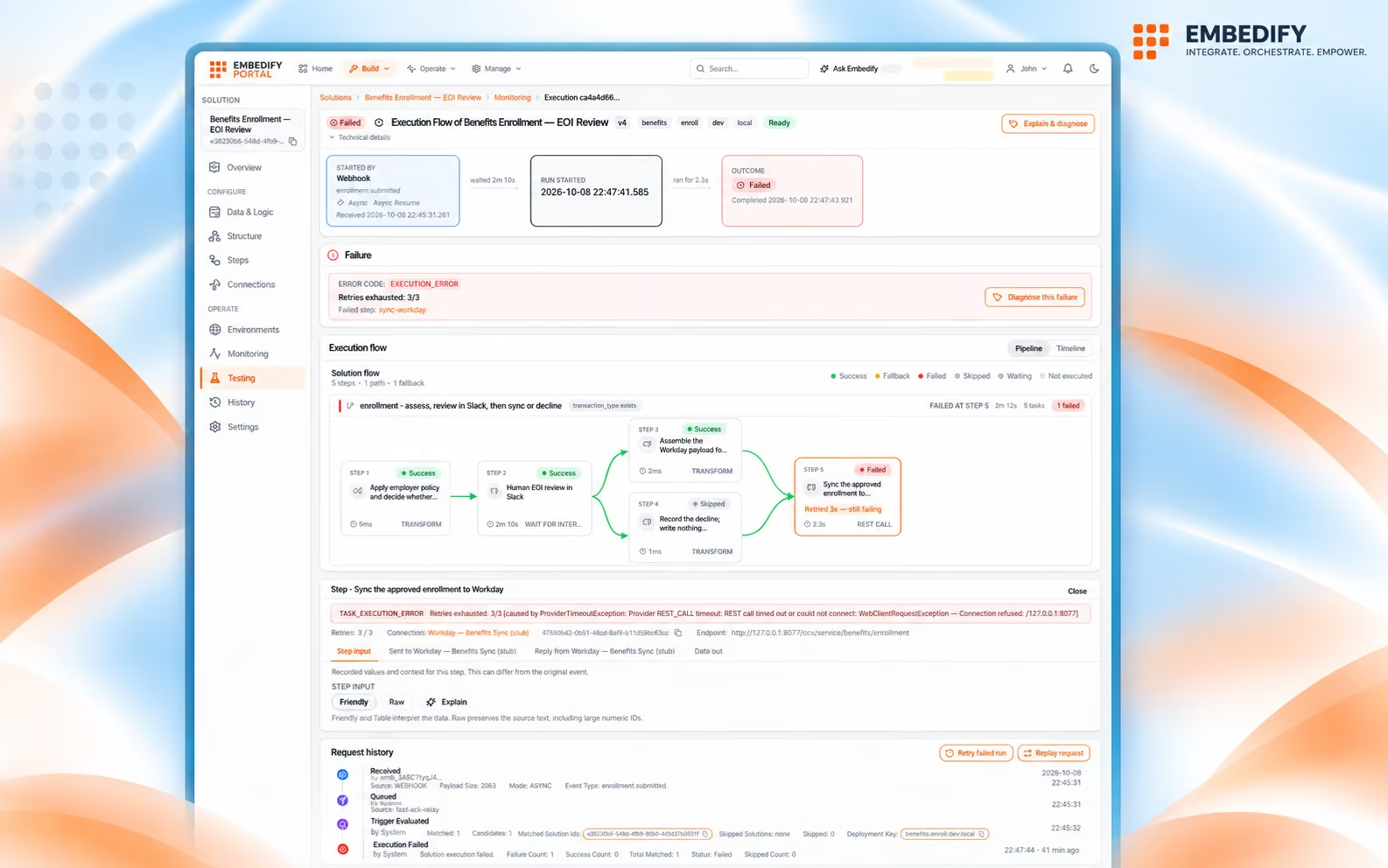
Follow any request through every step, with timing and results. The request history is a complete audit trail: when one request triggers several solutions, you see which ran, which were skipped and why. When something fails, ops agents explain the cause and propose a fix, and a person applies it, tests it and reruns the event in place. Usage and spend stay visible all month, against limits you set.
One account, every team
Invite your team and give each person the role that fits their work.
Business teams
Create and update integrations, workflows and screens, with the agent guiding each step.
IT
Manage connections, credentials, environments and who can do what. Nothing runs until it passes validation and is deployed.
Operations
See every request, find failures fast, and fix and rerun them without waiting for a release.
How it fits
You are here
Where your team works
Connect systems, build solutions, design screens, deploy and operate.
Connect · Operate
→
↓
Where it runs
Processes every request, every item inside it, and every workflow it sets off.
Transform
→
↓
Where people see it
Shows the results inside the apps your team already uses.
Embed