
Connect your source and target systems through REST APIs, OpenAPI definitions, webhooks, scheduled data retrieval or Kafka event streams, or start from a ready-made connection. Credentials are encrypted before they are stored.
Outcome: Secure connections to the systems you need.

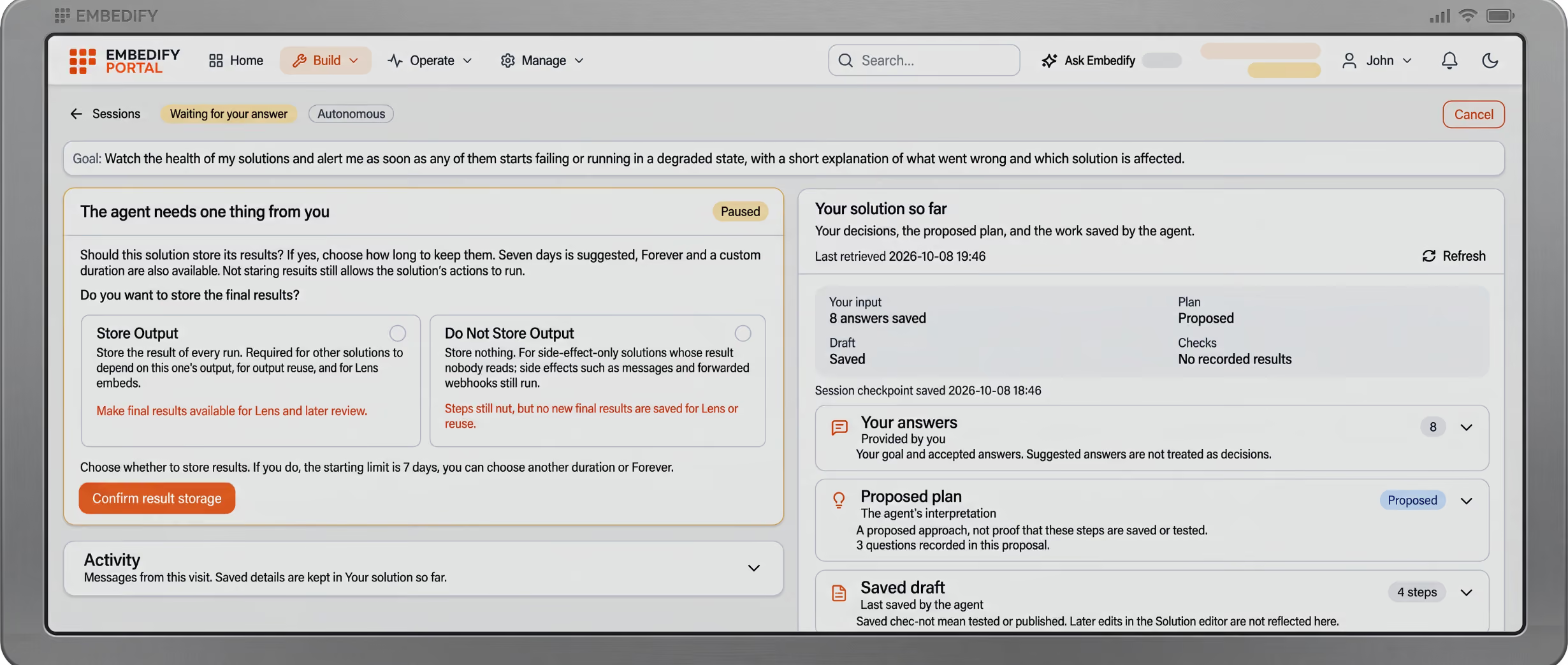
Describe what you need to an AI integration agent or use the visual builder to set what to fetch, when to fetch it and how to map it into a standard output.
Outcome: A reusable solution instead of one-off scripts.

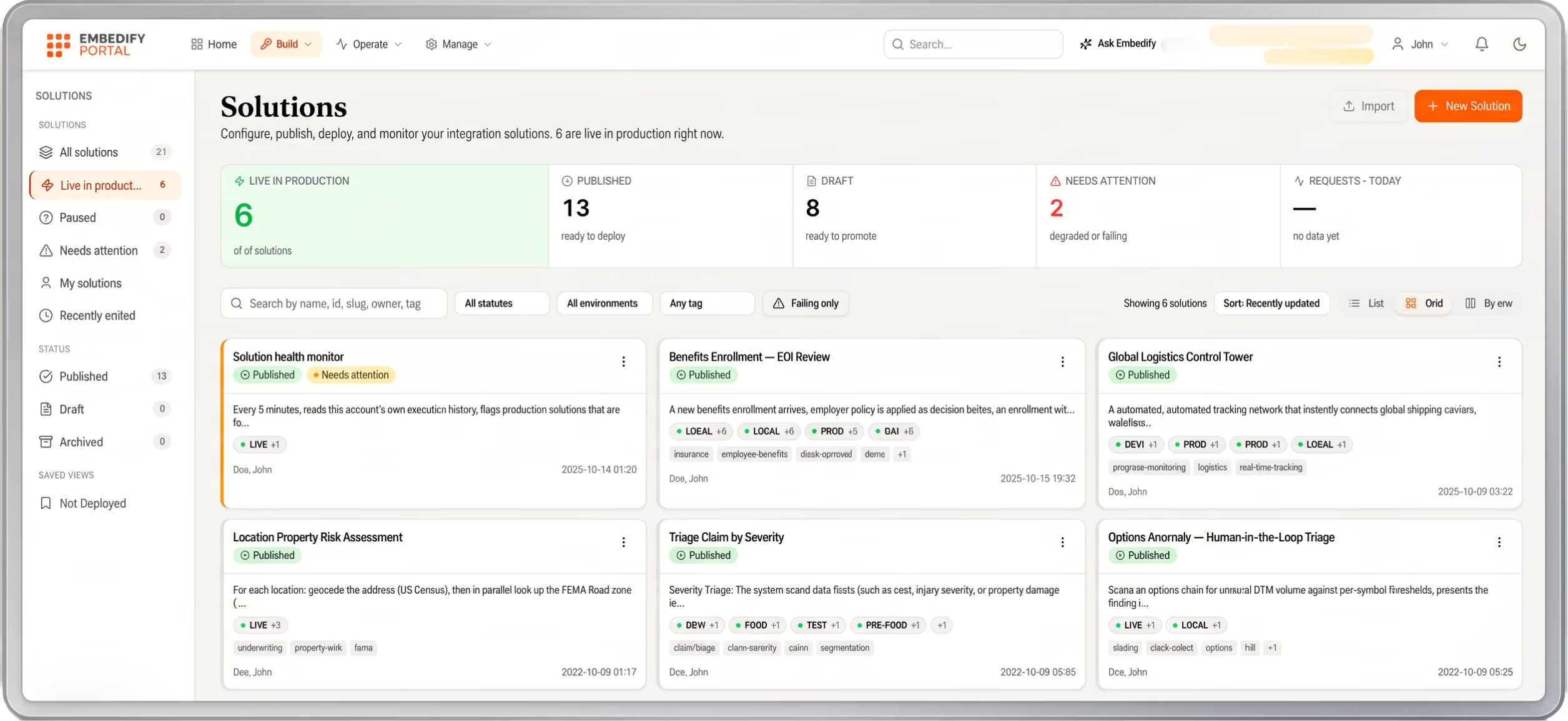
Arrange steps to run in sequence or in parallel, with the output of one step feeding the next. Conditions decide which paths run, and every step has its own retry and fallback settings.
Outcome: Automated workflows that are easy to change.

Run sample requests and saved test scenarios, one at a time or all at once, and see which passed, which failed and why before you publish.
Outcome: Fewer surprises in production.

Deploy a published version to as many environments as you need, such as development, UAT and production, each with its own credentials and settings. Authorized users control what reaches production.
Outcome: Safer releases and repeatable deployments.

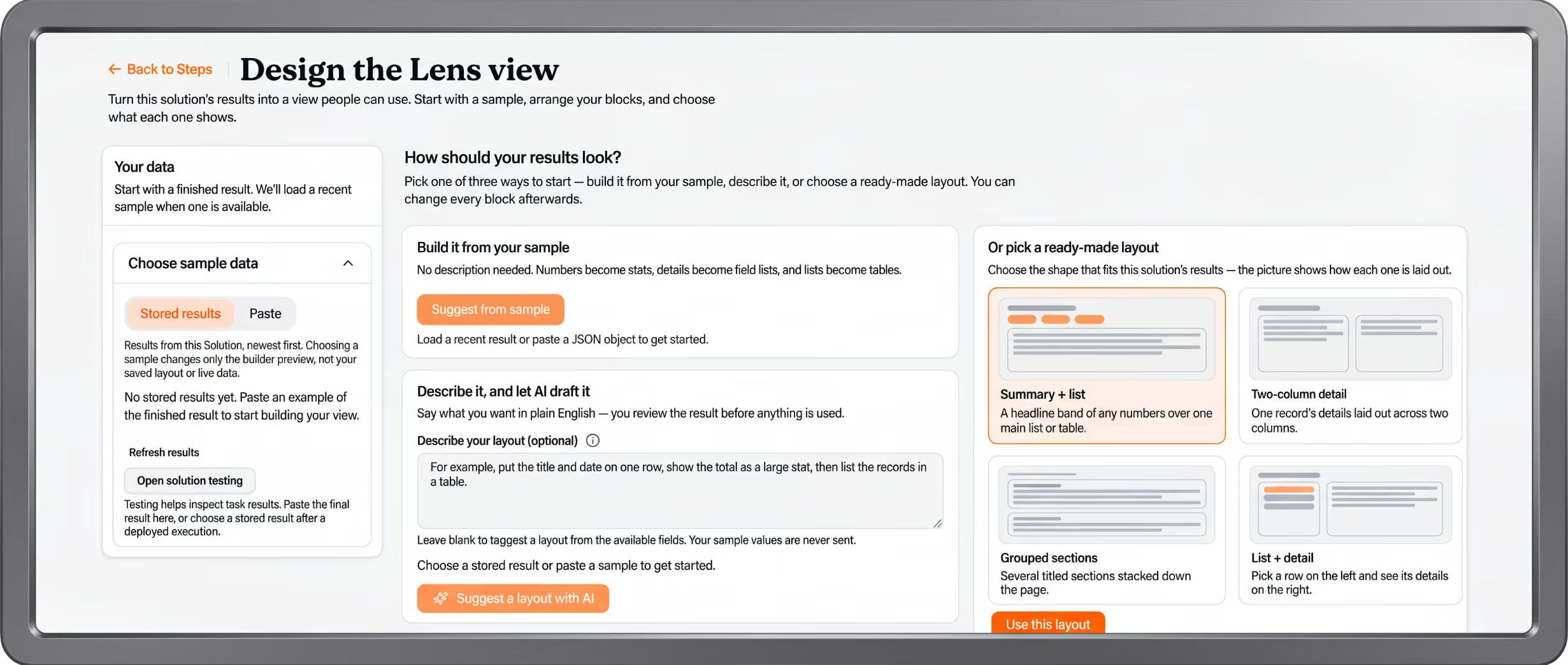
Show results inside the applications people already use with Embedify Lens, so insights, predictions and third-party data are in front of them when decisions are made.
Outcome: Insights show up in the workflow, not in a separate dashboard.

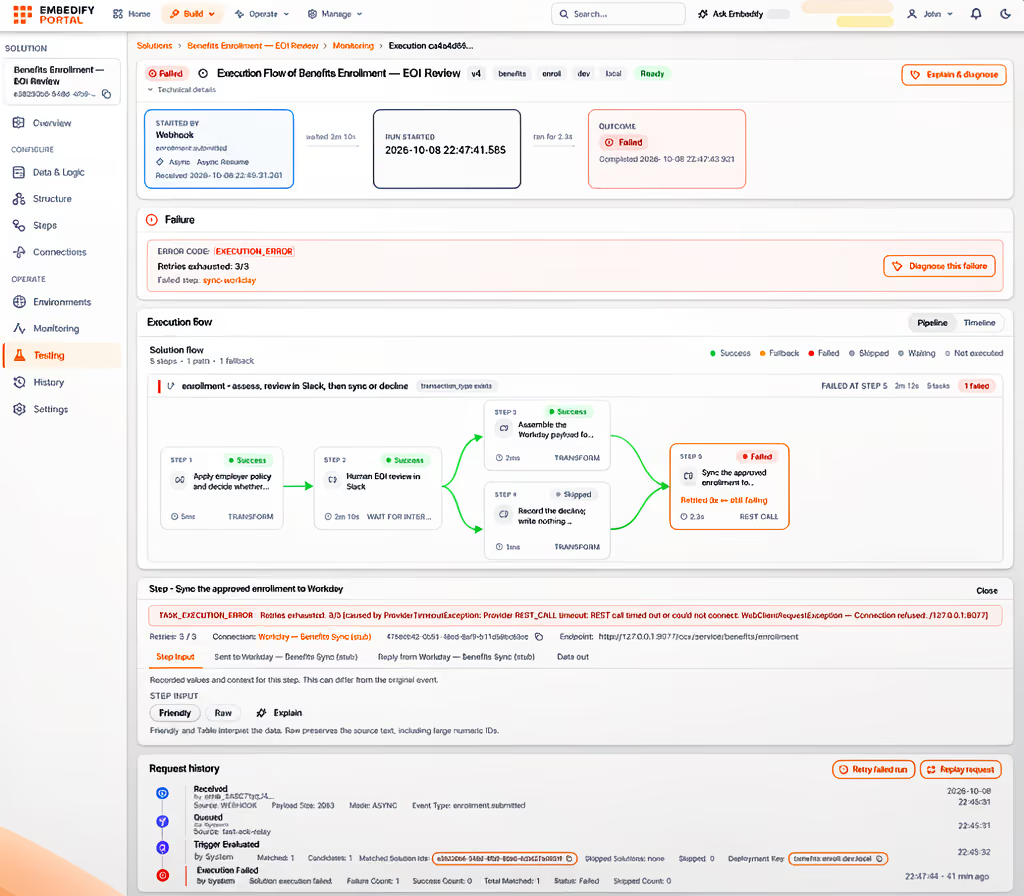
Every event is traced from the moment it arrives to its final step. See what failed, where and why, and retry once the cause is fixed.
Outcome: Operational confidence and faster triage.
Three common ways to put Embedify to work, from a single connection to multi-step workflows in production.




Embedify is built for integrations that need to be quick to deliver, safe to run and easy to change. You configure, test, deploy and monitor in one platform, and the results show up inside the systems where decisions are made.

Describe what you need to an AI agent or build it visually, while IT keeps control of credentials, environments and production releases.

Every event is traced from arrival to its final step. Monitoring is part of the product, not an afterthought.

Build in the Portal, run on the Embedify platform and show results inside your applications with Embedify Lens.